Your TV, stacked your way.
One-press control for your Android TV: fix audio, picture off with sound kept, a sleep timer, coloured-button shortcuts and a system-wide equalizer.
Pay once, yours for good · 1.2.1 · Android TV · Sideload simplicity
One-press settings, instead of complex menu flows.
Whoprrr TV is a control sheet for the remote. The line across the top shows whether each of its powers is working, and the fixes sit on single buttons.
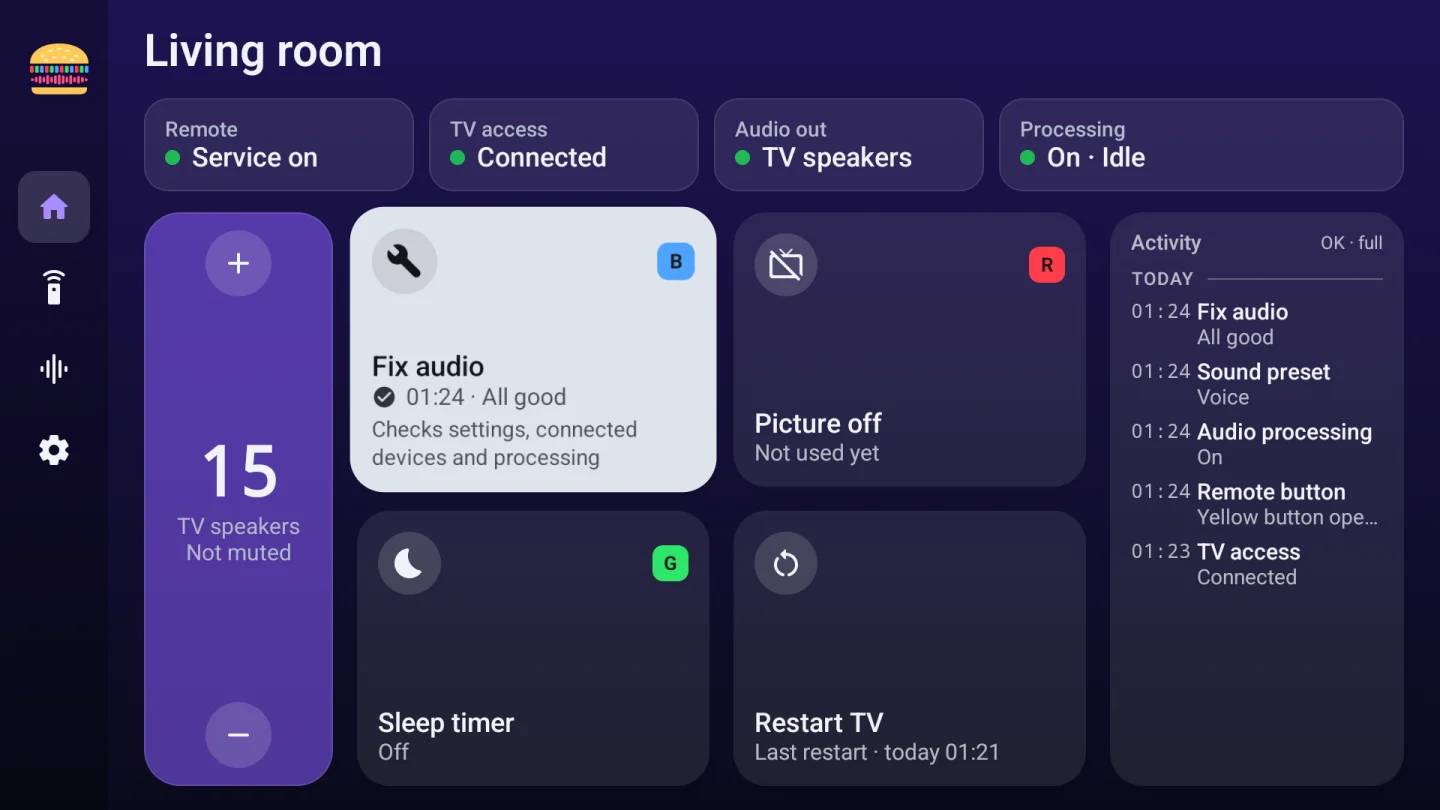
Screen off. Sound on.
- Picture off
- The screen goes black and the backlight goes dark while playback continues. Pressing any button brings the picture back (except Power, duh).
- Sleep timer and restart
- Pick a sleep time from a short list, or restart the TV in a few presses: no more hunting through settings.
Sound that heals itself.
- Fix audio
- Ever had audio issues after standby or a reboot? Lost your settings? One press unmutes the TV and checks the output.
- Equalizer and presets
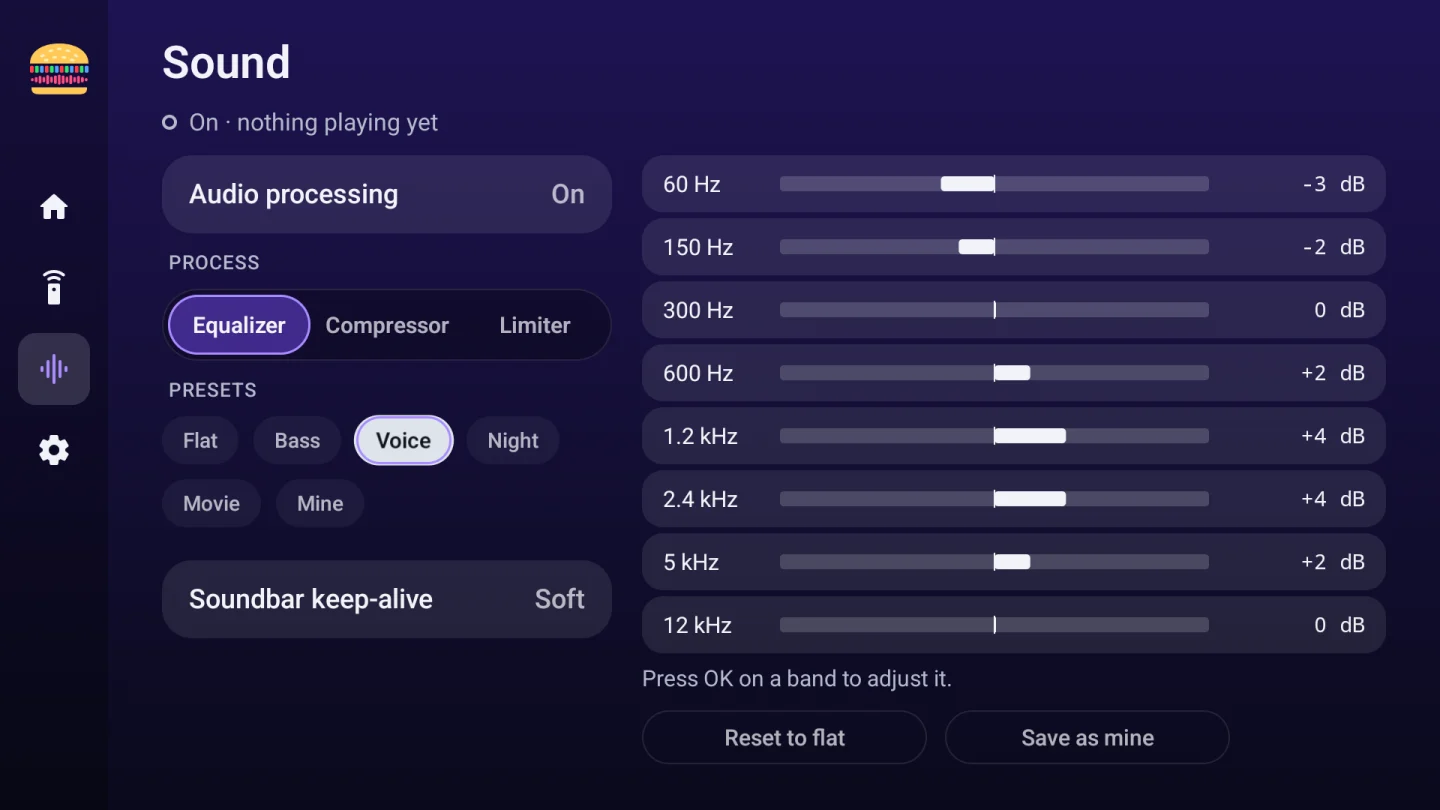
- A system-wide equalizer for every app, and sound presets you can jump to while you’re watching.
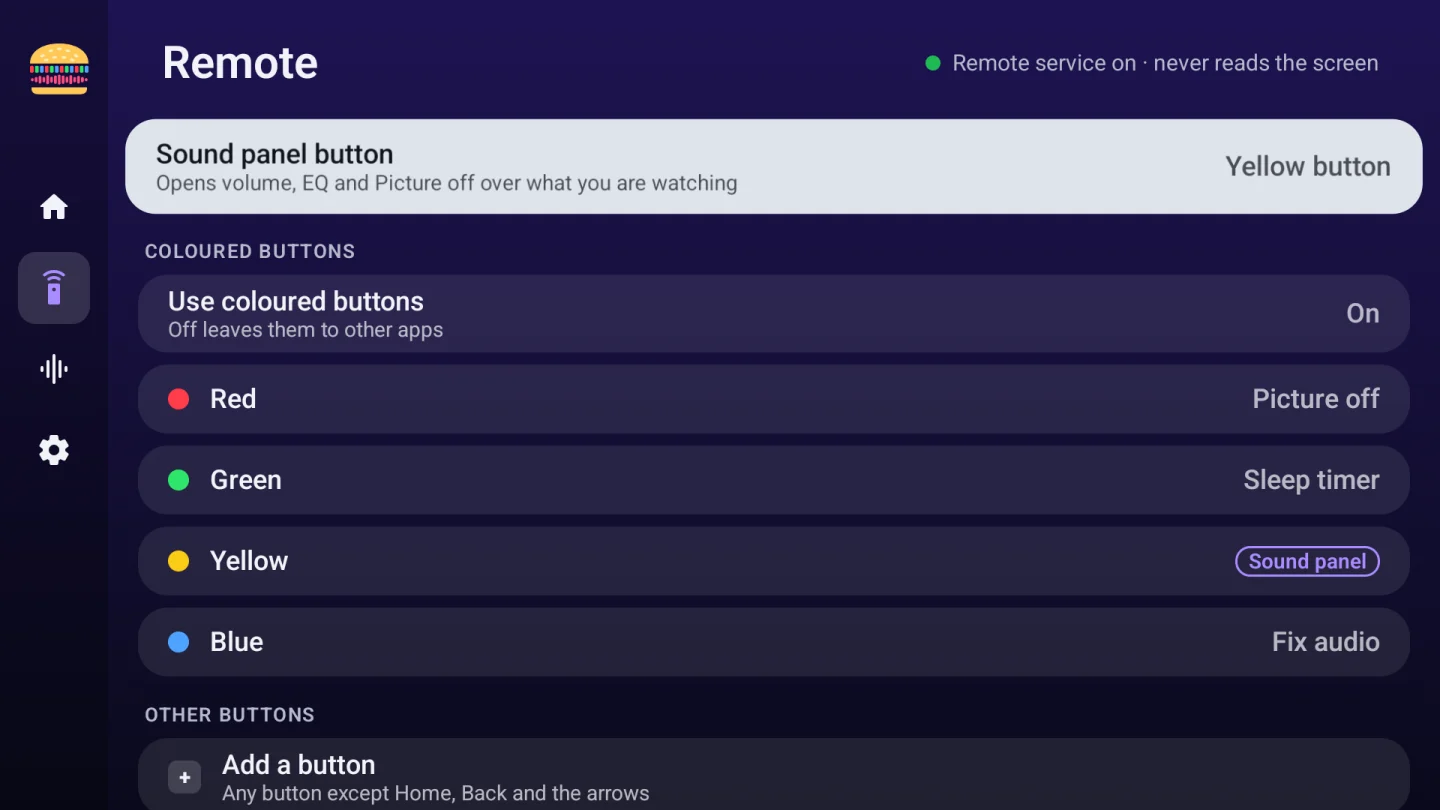
The coloured buttons finally do something (useful).
- Shortcuts on the remote
- Give the red, green, yellow and blue buttons a job each. They work over any app.
- Quick controls and apps
- One button slides a panel over whatever is playing: volume, equalizer, dynamics and Picture off, like the TV’s own controls. Plus a launcher for your apps.
Sideload simplicity
One file, two commands, then it updates itself. You install the signed file once over adb from a computer on the same network; the install page walks you through it. There is no Play Store listing.
Updates itself
Once a day the TV checks Whoprrr, downloads the signed build, verifies its checksum and installs it.
Made to fix a particularly dumb TV
Built and tested on a KTC 4K Android TV. Other models are untested for now; more are being added as fast as we can.
Latest updates
All updates- MacWhoprrr for Mac 0.9.0 beta 13Fewer bursts from new audio in one case. All shared audio can play quieter, and loud bursts can still happen in others.Read
- MacWhoprrr for Mac 0.9.0 beta 12Turned-down apps now stay quiet when another app or tab opens audio. Beta 11's fix for this did not work.Read
- MacWhoprrr for Mac 0.9.0 beta 11Recipes save themselves, restore points take you back, and turned-down apps no longer jump to full volume.Read